

How to Fix Desk Posture: A Whole-Body Guide

Desk posture problems rarely show up as one single ache. They show up as a tight low back by mid-afternoon, hips that feel locked up when you finally stand, shoulders that have crept toward your ears, and wrists that complain after a long day of typing. If any of that sounds familiar, you are not imagining it and you are not alone.
The good news is that fixing desk posture is not about holding one perfect position all day. It is about understanding why sitting still for long stretches causes pain, setting up your workspace so it works with your body instead of against it, and building in enough movement that no single joint or muscle group carries the full load. This guide covers the whole picture, from your low back and hips to your shoulders and wrists.
If your main complaint is neck pain and headaches from looking at a screen, our full tech neck guide covers monitor height, chin tucks, and neck-specific stretches in depth. This guide focuses on the rest of the body, the low back, hips, shoulders, and wrists that carry the load of a desk job.
Key Takeaways
- Bad desk posture is less about one wrong shape and more about staying in any single position for too long.
- Prolonged sitting is linked to low back pain, tight hip flexors, underused glutes, rounded shoulders, and wrist strain.
- A properly set up chair, desk, and keyboard height reduces strain, but movement breaks matter just as much as setup.
- Numbness, tingling, or weakness in an arm, hand, or leg is a sign to book an assessment rather than keep stretching.
What Does “Bad Posture” Actually Mean?
Most people picture bad posture as a single wrong shape, a slouched back or a forward head. Research on office workers points to something different: the body tolerates almost any posture for a short time. The problem is staying in one posture, good or bad, for hours without changing it.
There is no single perfect way to sit. Variety matters more than any exact angle. Sitting in the exact same position for two straight hours without shifting or standing is what overloads tissue, joints, and discs, whether that position is slouched or perfectly upright.
This is why “sit up straight” advice often falls short on its own. An upright posture held rigidly for hours can be just as fatiguing as a slouched one. The real goal is a workspace that makes good positions easy to find and movement easy to build in.
What Pain Patterns Do Desk Jobs Actually Cause?
Sitting at a desk for most of the day tends to load the body in a predictable pattern. The hips stay flexed, the low back loses its natural support, the shoulders round forward toward the keyboard, and the wrists sit at an awkward angle for hours at a time.
Over weeks and months, this pattern can lead to a cluster of common complaints:
- Low back pain and stiffness, especially when standing up after sitting for a long stretch.
- Hip tightness, a feeling of being locked up through the front of the hip.
- Rounded shoulders and upper back tension from reaching forward to a keyboard or mouse.
- Wrist and forearm strain, including tingling or aching that can point toward carpal tunnel syndrome or another repetitive strain injury.
Each has a slightly different cause, so each needs a slightly different fix. Treating all desk pain the same way, more stretching and nothing else, is one reason many people feel stuck.
Why Does Sitting All Day Cause Low Back Pain?
When you sit, your pelvis tends to tip backward and the natural inward curve of your low back flattens out. Held for hours, this shifts load onto the discs and ligaments of the spine instead of the muscles built to support it. A chair without proper lumbar support makes this worse, and slouching forward toward a screen adds even more load to the lower spine.
The fix is rarely just a new chair. A supportive seat helps, but the bigger factor is how often you get out of it. If low back pain from sitting has been building for weeks rather than days, or it is starting to spread into a leg, our back pain and sciatica physiotherapy page covers when that pattern needs a proper assessment.
How Does Sitting Affect Your Hips?
Sitting holds the hip in a flexed position for hours at a time. Over time, the muscles at the front of the hip, the hip flexors, can become tight and shortened simply from spending so much time in that shortened range.
At the same time, the glutes at the back of the hip sit in a lengthened, inactive position all day, sometimes nicknamed “gluteal amnesia.” Tight hip flexors and underused glutes together can change how your pelvis sits and how your low back is loaded once you stand and move. This is why hip tightness by the end of the day is so common, and why stretching the hips alone, without also working the glutes, rarely gives lasting relief. If hip tightness has turned into ongoing hip or groin pain, our hip pain physiotherapy page explains what a proper assessment looks like.
Why Do Shoulders Round Forward at a Desk, and What Does That Do to Your Wrists?
Reaching forward to a keyboard or mouse for hours pulls the shoulders forward and rounds the upper back. Over time, the chest muscles tighten while the muscles between the shoulder blades weaken, reinforcing the same rounded position.
Rounded shoulders change the angle at the wrist too. Many people rest their wrists on a desk edge or bend them upward to reach a keyboard or trackpad, which increases pressure on the nerves and tendons running through the wrist and forearm. Over months, this repeated strain can contribute to tendon irritation, general repetitive strain injury (RSI), or nerve compression such as carpal tunnel syndrome, where the median nerve is compressed as it passes through the wrist. Tingling, numbness, or a dull ache in the hand after typing is worth paying attention to. Our wrist and hand pain physiotherapy and carpal tunnel syndrome treatment pages cover both in more depth.
“Your body was not built to hold one shape for eight hours. It was built to move.”
What Is a Good Chair and Desk Setup for Posture?
A well set up workstation will not fix desk posture on its own, but it removes a lot of the strain that builds up over a workday. A few adjustments make the biggest difference.
Chair height and support
- Feet flat on the floor, or on a footrest, knees at roughly 90 degrees.
- Hips slightly higher than or level with your knees.
- Lumbar support that fills the curve of your low back.
- Seat depth leaving two to three finger widths behind your knees.
Desk and keyboard position
- Elbows bent at roughly 90 degrees, forearms parallel to the floor.
- Keyboard and mouse close enough that you are not reaching forward.
- Wrists straight while typing, not bent up, down, or to the side.
- Shoulders relaxed and down, not hiked up toward your ears.
This setup works alongside, not instead of, the monitor and screen height guidance in our tech neck guide. Getting the chair and keyboard right protects your low back, hips, and wrists, while screen height protects your neck.
What Is a Good Movement and Exercise Routine for Desk Workers?
Setup matters, but movement is what actually keeps tissue healthy. A simple routine built around your low back, hips, and upper body, done consistently, does more than any single “perfect” posture.
Every 30 to 45 minutes
- Stand up. Even 20 to 30 seconds of standing changes the load on your spine and hips.
- Do a few standing hip extensions or a short walk to your water bottle or the printer.
Low back and hip reset (2 to 3 times daily)
- Standing hip flexor stretch: step one foot back, tuck your pelvis, hold 20 to 30 seconds per side.
- Glute bridge: lying on your back, feet flat, lift your hips and squeeze for 5 seconds, 10 to 12 reps, to wake up muscles that go quiet while you sit.
- Standing back extension: hands on your lower back, lean back gently to reverse the flattened, seated posture, 5 to 8 reps.
Shoulder and wrist reset (2 to 3 times daily)
- Doorway chest stretch: forearm on a doorframe, step through gently, hold 20 to 30 seconds per side.
- Shoulder blade squeezes: pull your shoulder blades back and down, hold 5 seconds, 10 reps, to counter the forward reach of typing.
- Wrist and forearm stretch: arm extended, palm up, gently pull the fingers back with the other hand, hold 15 to 20 seconds per side, then repeat palm down.
None of these exercises need equipment or much time. The goal is not one long workout at the end of the day, it is short, frequent breaks in the pattern of sitting still.
Is a Standing Desk the Answer?
A standing desk can help, but only if you actually alternate between sitting and standing, since standing all day creates its own strain on the low back, hips, and feet. The real value is the transition itself, changing your body’s position every 30 to 60 minutes rather than locking into either posture for an entire shift. If a standing desk is not an option, the same benefit comes from standing up on a schedule, taking calls on your feet, or setting a reminder to change position.
When Should You See a Physiotherapist for Desk-Related Pain?
Most desk-related aches respond well to a better setup and consistent movement breaks. But some patterns are worth a proper assessment rather than more stretching on your own. Numbness, tingling, or weakness spreading down an arm or into the hand can point to nerve compression such as carpal tunnel syndrome, and low back pain that spreads down a leg with numbness or weakness needs a proper assessment rather than more stretching. If either of those describes you, book an assessment rather than waiting it out.
It is also worth getting assessed if pain has lasted more than a few weeks despite changing your setup, or if it keeps coming back every time you return to your desk. Ongoing desk-related pain often falls under what we treat as chronic pain physiotherapy, where the goal is finding the root mechanical cause rather than only managing symptoms.
At Wellmax Physiotherapy in Oakville, every new patient starts with a 60-minute assessment. Our physiotherapists look at your whole movement pattern, not just the spot that hurts, use hands-on manual therapy to find the actual source of the strain, and build a plan aimed at a pain-free graduation, not endless ongoing visits. We serve patients across Oakville and Mississauga with direct billing to most major insurers.
Not sure where to start?
Book a free consultation and we will point you to the right care, with no pressure.
Frequently Asked Questions
What is the correct sitting posture for a desk job?+
There is no single correct posture to hold all day. The best approach is feet flat on the floor, knees near 90 degrees, hips slightly above knee height, and a chair with lumbar support that fills your low back’s curve. More important than any exact angle is changing position regularly rather than locking into one shape for hours.
How high should my desk chair be?+
Set your chair so your feet rest flat on the floor, or on a footrest, with your knees bent at roughly 90 degrees and your hips level with or slightly above your knees. Then adjust your desk or keyboard tray so your elbows also sit near 90 degrees with your forearms parallel to the floor.
Why does my lower back hurt after sitting all day?+
Sitting tends to tip the pelvis backward and flatten the natural curve of the low back, shifting load onto the discs and ligaments instead of the muscles built to support that area. A chair without lumbar support and long stretches without standing up make this worse. Frequent short breaks to stand and move usually help more than a new chair alone.
Can sitting at a desk cause hip pain?+
Yes. Hours in a seated, hip-flexed position can tighten the hip flexor muscles at the front of the hip while the glutes at the back stay inactive. This combination can change how your pelvis and low back are loaded once you stand, which is why many desk workers feel stiff or locked up through the hips by the end of the day.
How do I stop my shoulders from rounding forward at my desk?+
Bring your keyboard and mouse close enough that you are not reaching forward, and keep your monitor at eye level so you are not leaning toward it. Add shoulder blade squeezes and chest stretches through the day to counter the forward pull, and check every hour or so that your shoulders have not crept up toward your ears.
Can bad desk posture cause carpal tunnel syndrome?+
Prolonged wrist bending and resting the wrist on a hard desk edge while typing can increase pressure on the median nerve, which is a contributing factor in carpal tunnel syndrome. It is rarely the only cause, but keeping wrists straight and neutral while typing, and taking breaks from repetitive keyboard and mouse use, reduces the strain that contributes to it.
Is a standing desk better than a sitting desk for posture?+
A standing desk is not automatically better, since standing all day creates its own strain on the low back, hips, and feet. The real benefit comes from alternating between sitting and standing every 30 to 60 minutes, so no single position is held for too long. The transition matters more than which position you choose.
How often should I take a break from sitting at my desk?+
Aim to change position, even briefly, every 30 to 45 minutes. This can be as simple as standing to stretch for 20 to 30 seconds, walking to refill water, or doing a short set of hip and shoulder exercises. Frequent small breaks tend to reduce pain more effectively than one long stretch session at the end of the day.
You Might Also Like



Gurmeet Rai, Registered Physiotherapist
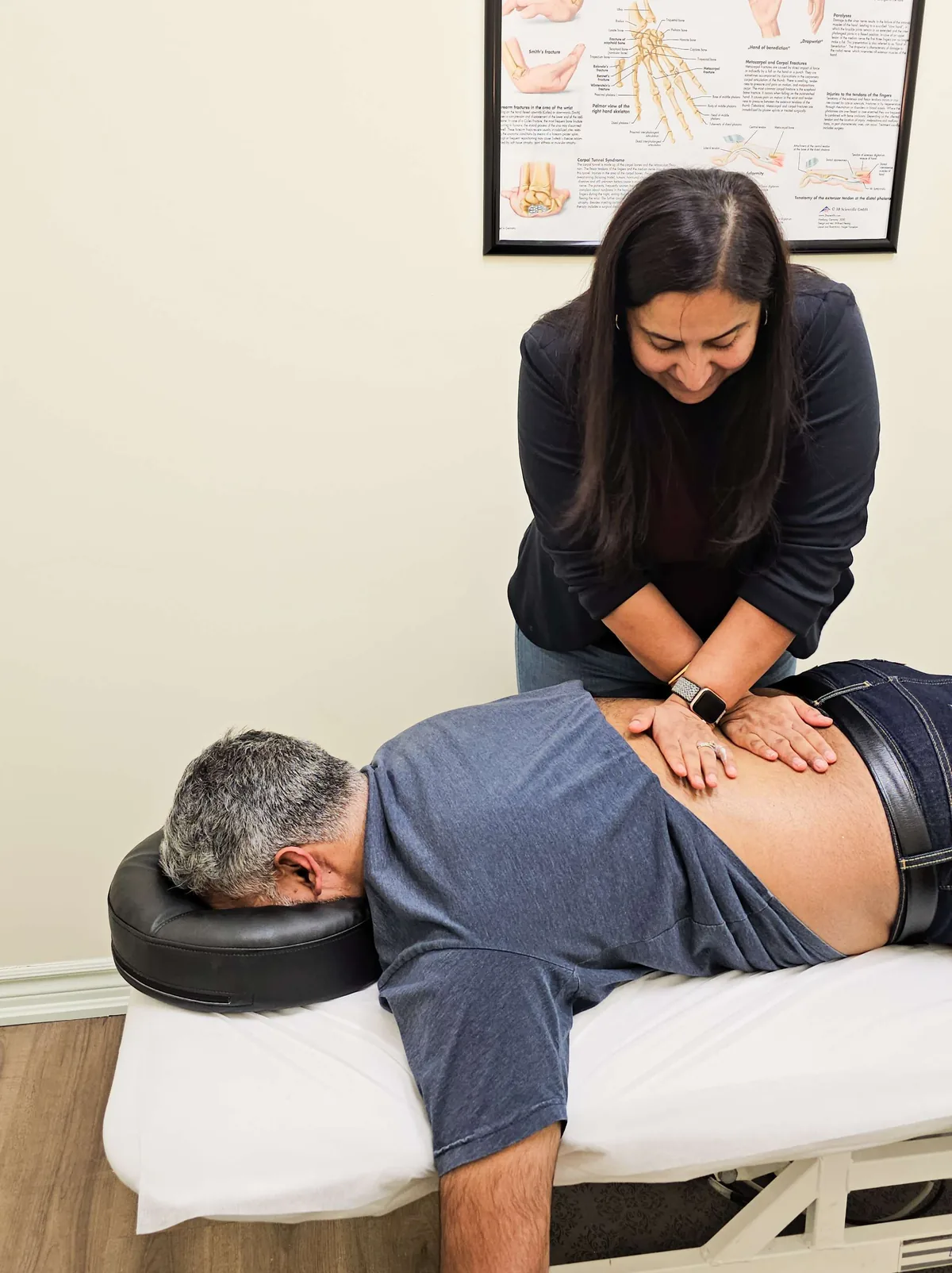
Gurmeet is a Registered Physiotherapist with the College of Physiotherapists of Ontario and the Clinic Director and co-owner of Wellmax Physiotherapy in Oakville, with 16+ years of clinical experience. She focuses on complex, stubborn cases where earlier treatment has not worked, with advanced training in pelvic health, TMJ, vestibular, and sports and MSK rehab. Expect expert care from assessment to discharge, with honest guidance along the way. Read Gurmeet’s full profile or meet the team.
This article is for educational purposes only and does not replace a professional clinical assessment. Every body and condition is different. If you are experiencing pain or symptoms, book an assessment with a qualified clinician for advice specific to your situation. If you are experiencing a medical emergency, call 911 or visit your nearest emergency department.
